ClickUp for Small Teams: Complete Project Management Guide (2026)
Learn how ClickUp for small teams helps organize projects, manage tasks, and track progress using a clear, scalable workflow. This guide walks you through real project setup, visuals, best practices, and comparisons—step by step.
Moreover, Small teams often struggle with scattered tools, unclear responsibilities, and lack of visibility. Tasks live in emails, spreadsheets, chat apps, and personal notes—making it difficult to stay aligned.
Therefore, ClickUp for small teams solves this by bringing tasks, documentation, collaboration, and reporting into one workspace. Everything stays connected, visible, and easy to manage—even as projects grow.
Additionally, This guide shows exactly how to use ClickUp in real scenarios, with videos, diagrams, screenshots, and proven workflows.
Consequently, You may also like: how AI is transforming productivity for businesses .
However, Before creating tasks, it’s important to understand how projects flow inside ClickUp. This structure keeps work organized from idea to delivery.
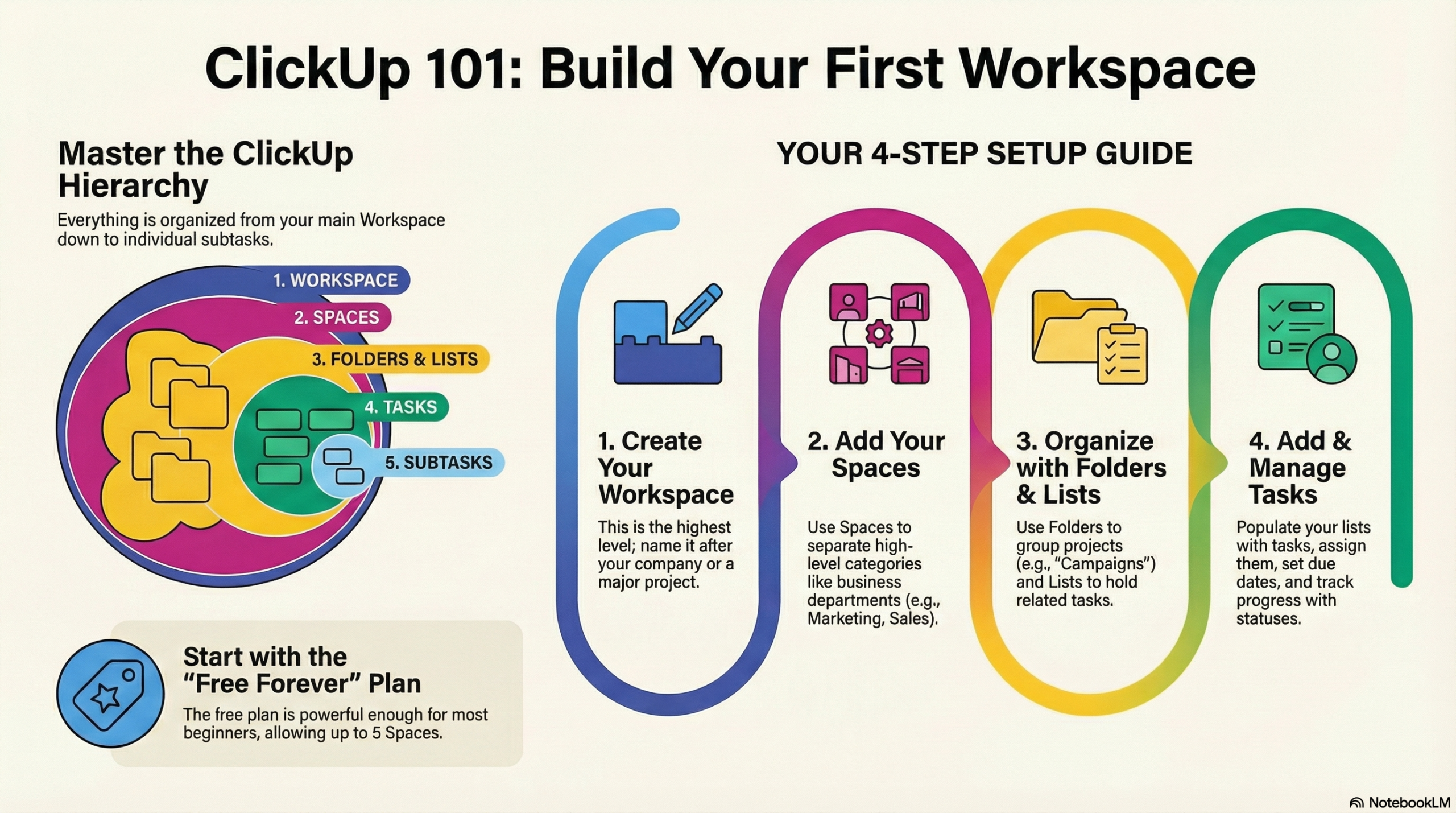
In fact, Each project follows a simple lifecycle: planning → task creation → execution → tracking → completion.
As a result, ClickUp connects hierarchy, tasks, views, templates, and dashboards into one system so teams don’t lose context.
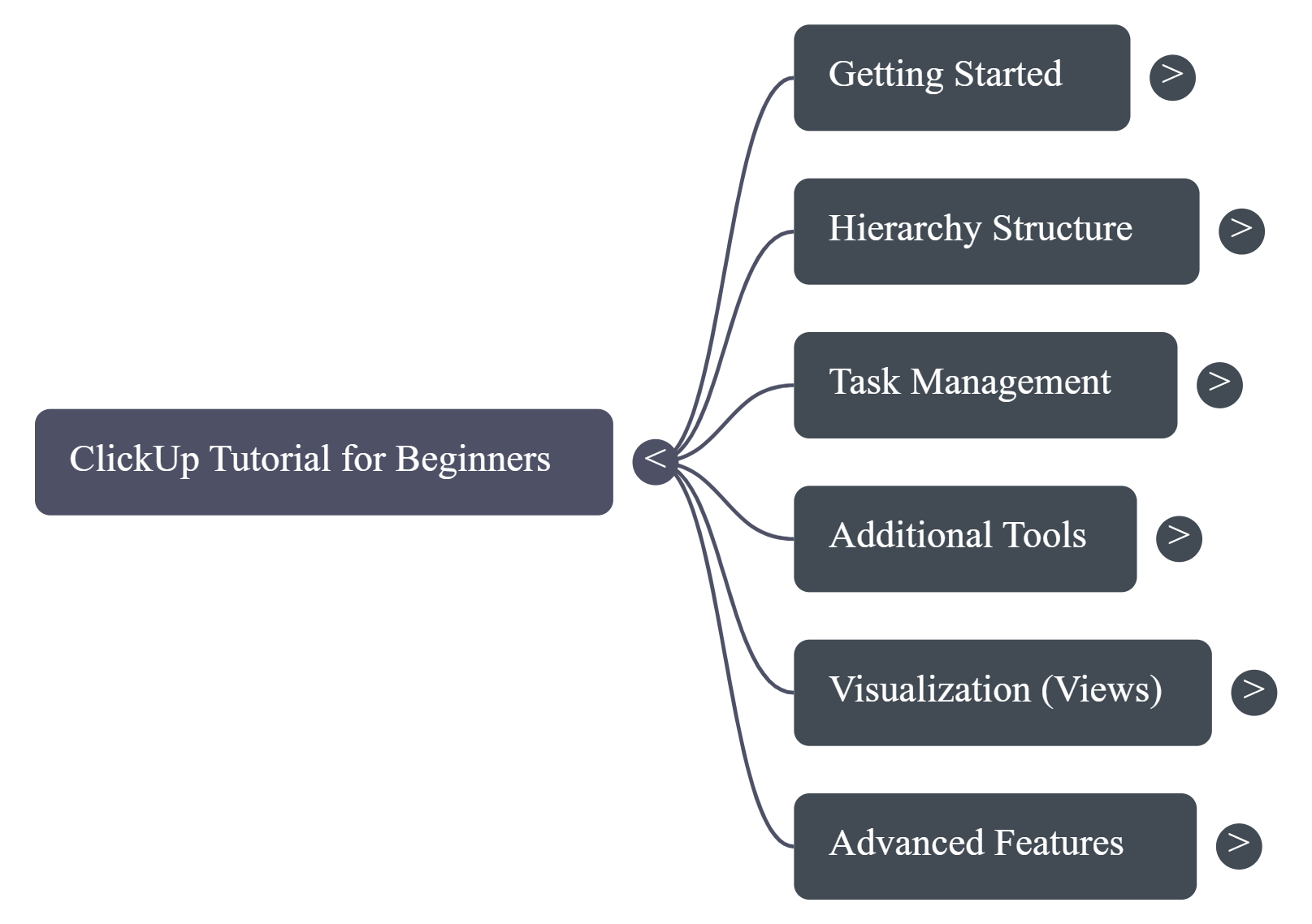
1. Hierarchy Keeps Work Structured
Specifically, ClickUp uses a clear hierarchy: Workspace → Spaces → Lists → Tasks → Subtasks. This prevents chaos as projects grow.
2. Free Plan Is Enough for Most Teams
For example, Most small teams can manage full workflows using the free plan, including tasks, views, Docs, and dashboards.
3. ClickUp Is a Knowledge Hub
Indeed, Documents, comments, and files live directly next to tasks, keeping planning and execution connected.
4. Templates Save Time
Meanwhile, Templates allow teams to reuse workflows instead of rebuilding projects from scratch.
5. Views Adapt to Work Styles
Subsequently, Board, List, and Calendar views allow each team member to work in the way they prefer.
6. Focus Tools Reduce Overload
Notably, Filters and Me Mode help individuals focus only on tasks assigned to them.
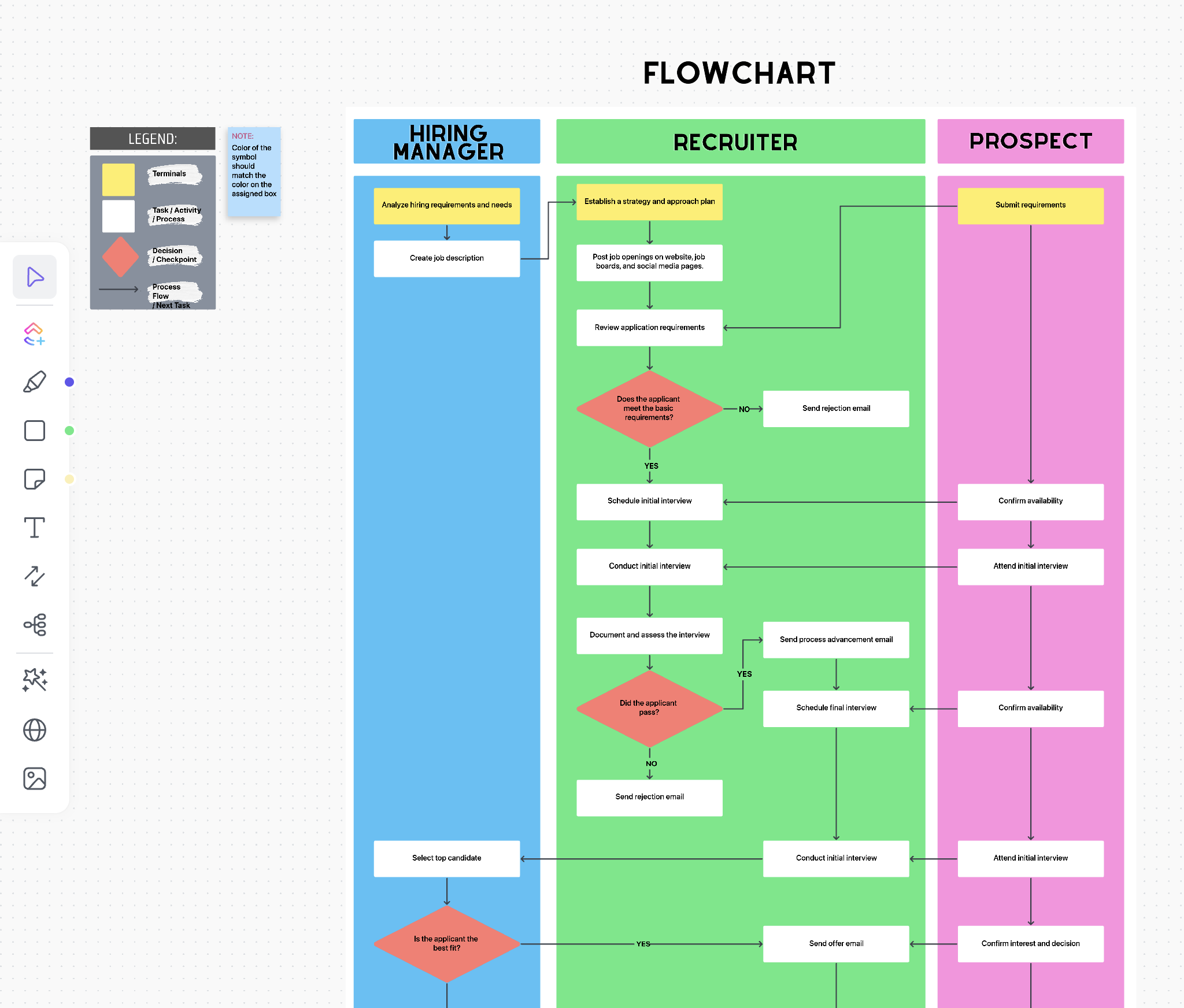
Nevertheless, The Workspace represents your company or team. Spaces divide work into major areas like Marketing, Client Projects, or Operations.
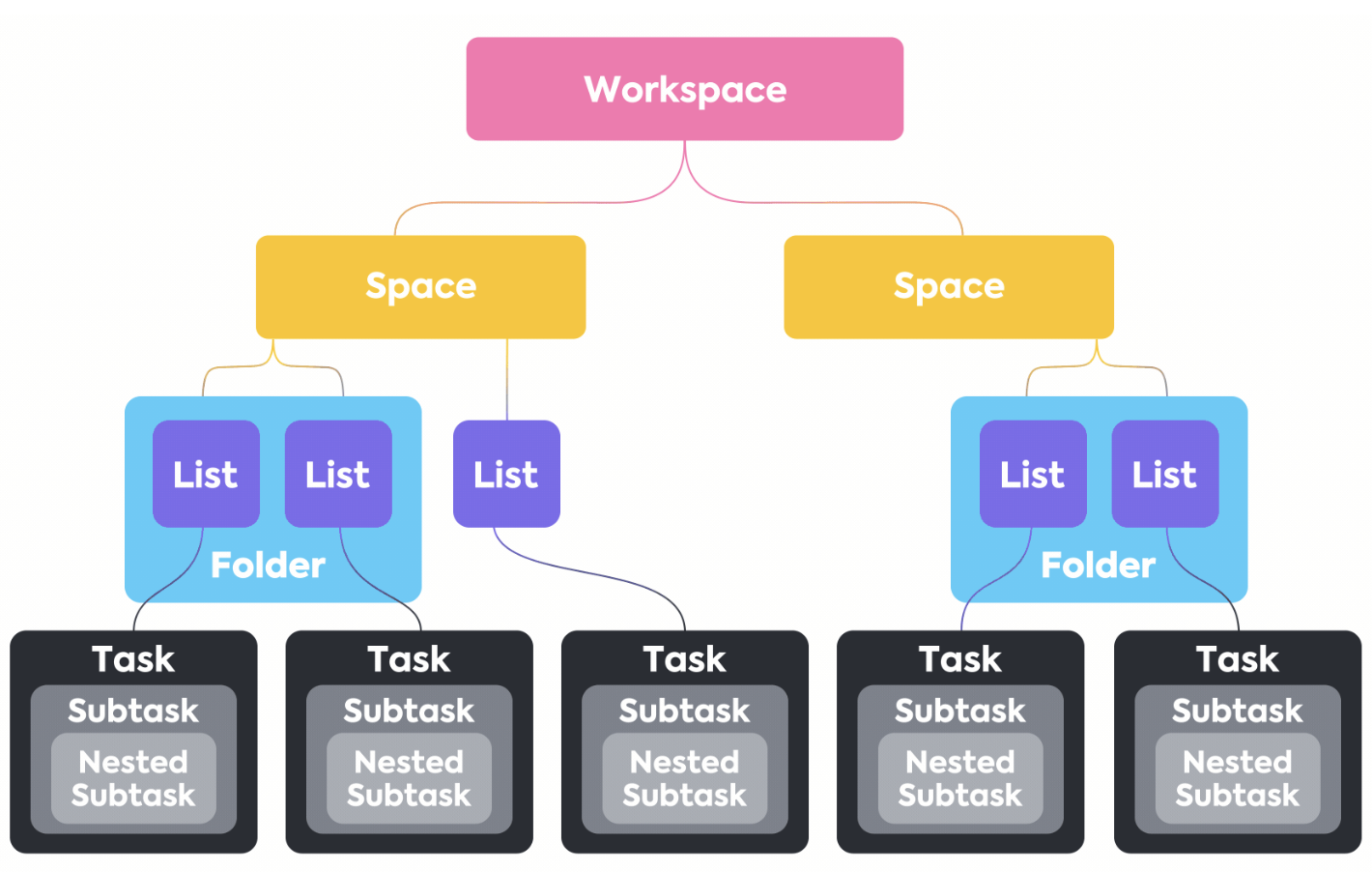
In addition, Lists represent projects. Tasks and subtasks represent actionable work with owners, deadlines, and priorities.
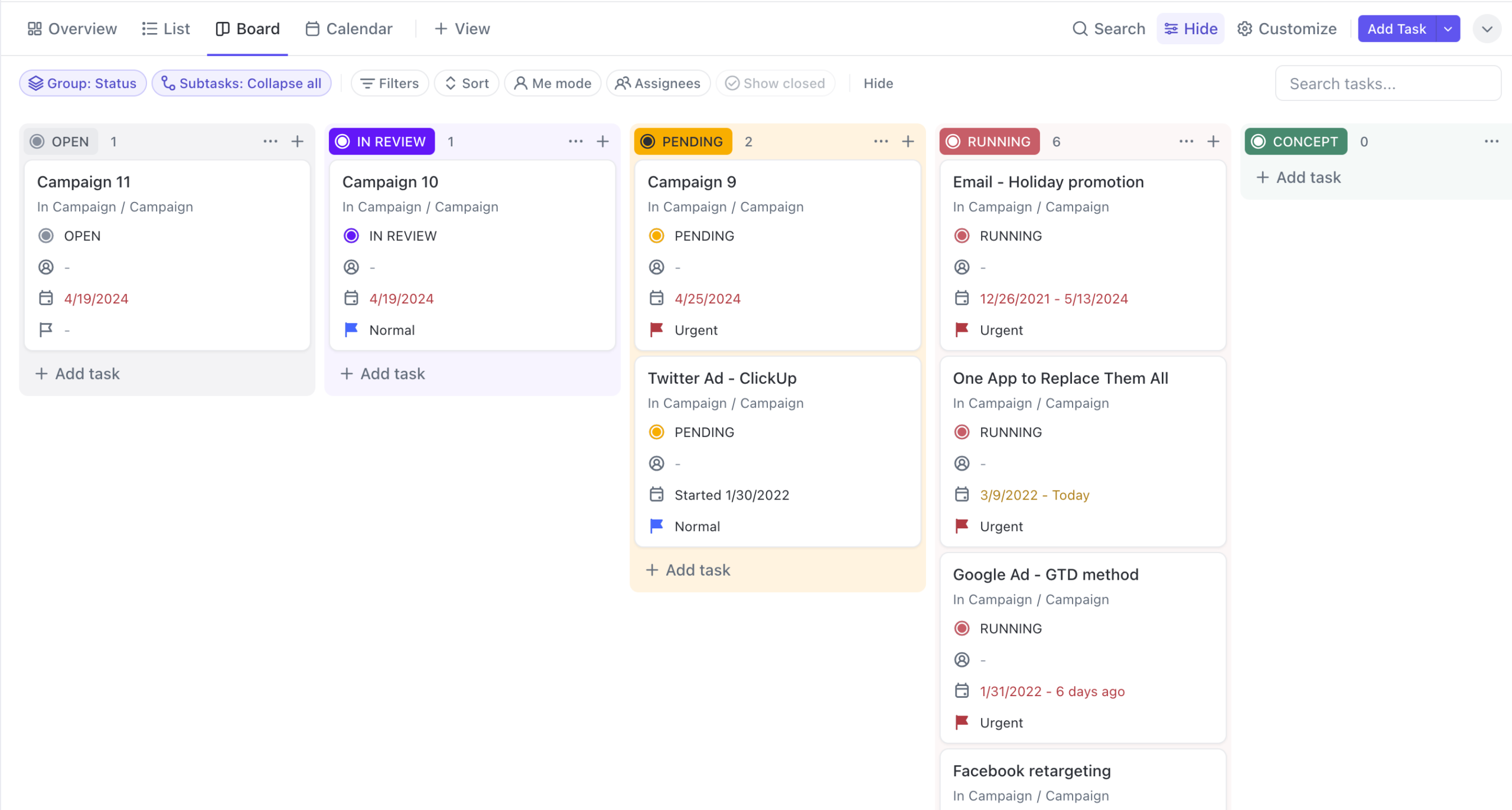
Similarly, Board view works well for execution, while Calendar view helps plan deadlines.
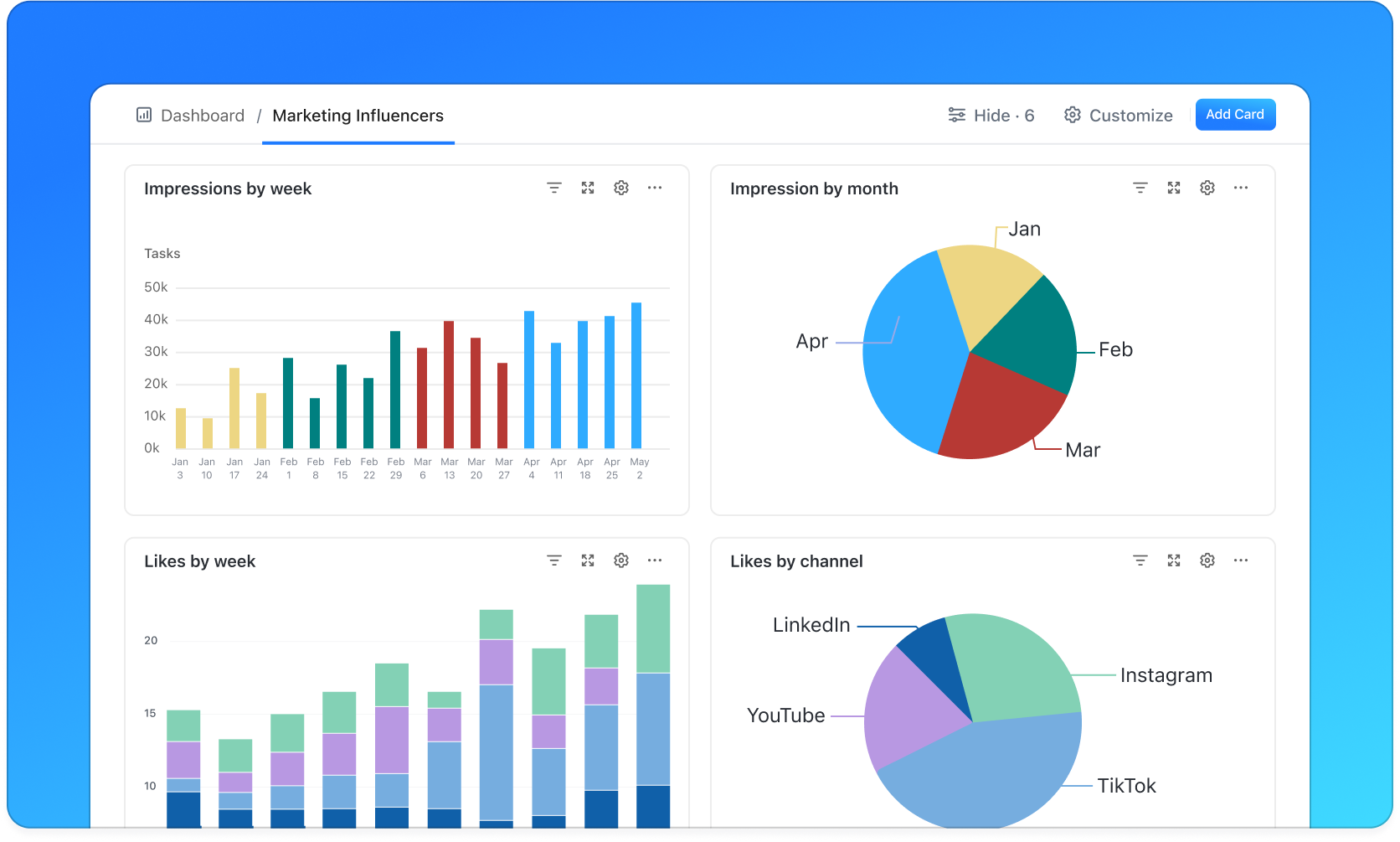
In short, Dashboards provide real-time visibility into workload, progress, and team performance.
- ClickUp: Best all-in-one tool for small teams
- Notion: Better for documentation than execution
- Jira: Powerful but complex for small teams
If you want a single platform to manage projects, collaborate, and scale without complexity, ClickUp is one of the best choices available for small teams.
Try ClickUp FreeStart Learning How Small Teams Stay Organized Using ClickUp Today
In conclusion, this guide covers everything you need to get started in 2026. Whether you want to learn new skills, build real projects, or start earning online — the tools and strategies above give you a clear, actionable path forward. Therefore, the best time to start is right now.